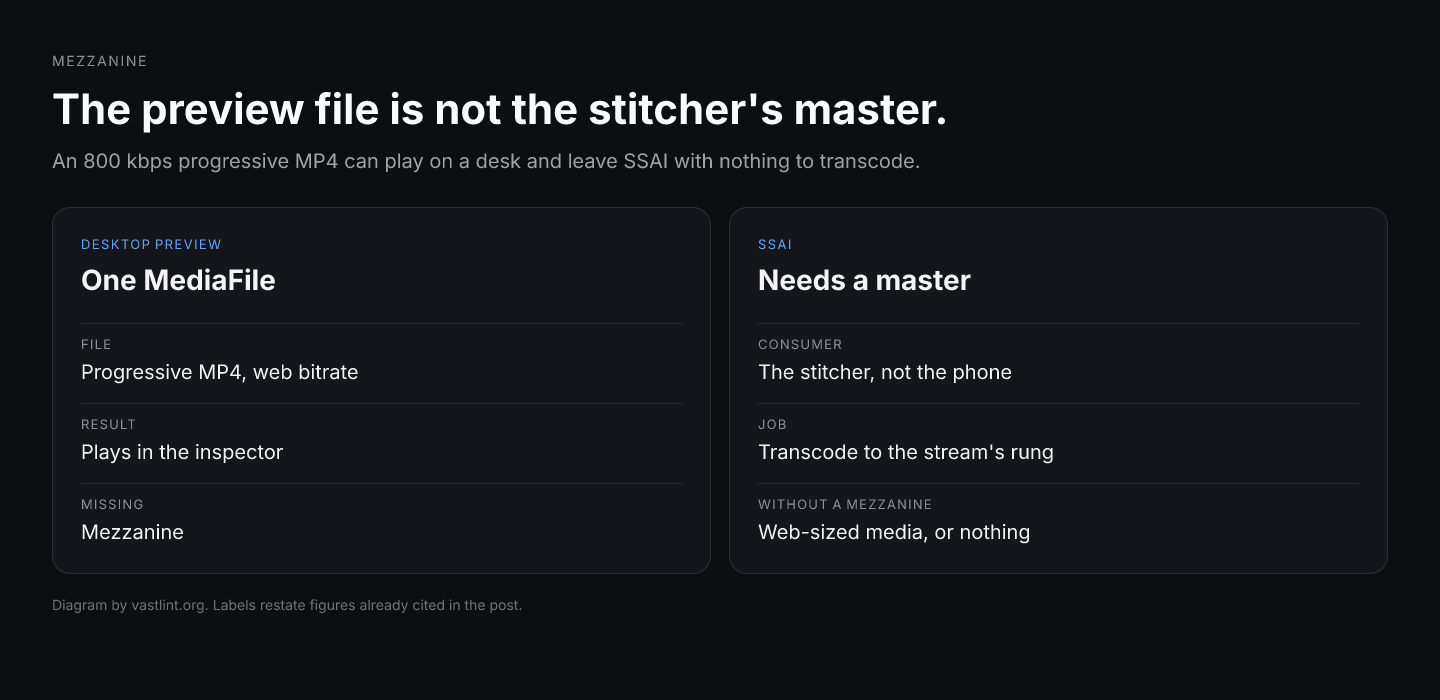
A FAST pod can show one hundred percent completion in the ad server while the living-room stream never received a TV-bitrate rendition. Trafficking exported VAST 4.1 with a single 800 kbps MediaFile because that file plays in a desktop preview. The stitcher logged a transcode job. The manifest the Roku pulled still carried a web-sized rung, or nothing at all, because the tag never declared a mezzanine the SSAI pipeline could treat as a master.
The production bug is rarely a stitcher that refuses video on principle. It is a Mezzanine element that is missing, nested wrong, or present without the attributes VAST 4.1 expects: delivery, type, width, and height on the transcode source. Without those fields a quality-aware SSAI stack cannot evaluate the asset before it downloads multi-gigabyte masters, and a permissive stack falls back to recompressing the highest MediaFile, which airs soft next to broadcast content.
IAB Tech Lab added Mezzanine in VAST 4.0 for server-side ad insertion and addressable TV, with VAST 4.1 adding the attribute set stitchers use to filter masters before fetch. This piece is the envelope check on that element: where it lives under Linear MediaFiles, which attributes are required at 4.1+, and what breaks when trafficking treats mezzanine as optional metadata beside a playable MP4.
Why a playable MediaFile is not a mezzanine check
Buyers reconcile delivery in DSP quartiles. Publishers reconcile stitch success in SSAI logs. Neither dashboard proves the tag handed the stitcher a mastering-quality source. A tag can fire every tracker while the server transcodes from an already lossy 720p file because Mezzanine was absent or hollow.
That split is expensive on CTV because the living-room player and the stitcher read different children under MediaFiles. Players select among MediaFile renditions. Stitchers consume Mezzanine when present, then emit HLS or DASH segments matched to content. Validating only MediaFile bitrate and MIME type on a browser tool misses the hop that actually sets TV quality.
Open programmatic CTV concentrates spend on paths that include SSAI on FAST and broadcaster apps. Mezzanine recommended findings in validators are easy to dismiss as informational until a platform with a hard floor rejects the creative entirely. The trafficking ticket then reads underdelivery while the XML looked green on hop one.
Genre and surface splits make the mistake repeatable. A creative tested on mobile web inventory may never trigger mezzanine rules in QA, then fails on large-screen supply where the spec expects a transcode source. The failure is in the VAST document, not in the bid request headline.
What Mezzanine actually declares
Mezzanine is not another MediaFile rung for the player to rank. It is the URI to a high-bitrate master meant for server-side transcoding. IAB describes mezzanine files as part of VAST 4 features aimed at delivering video efficiently across devices, including separation of media from verification code and a mezzanine file for server-side ad insertion.
In VAST 4.0 the element can appear as a bare URI under MediaFiles. VAST 4.1 adds delivery, type, width, height, and optional codec, id, fileSize, and mediaType so pipelines can reject unsuitable masters without pulling the file. vastlint treats missing delivery, type, width, or height at 4.1+ as errors on the Mezzanine node itself.
The population that matters is the resolved InLine after wrapper merges and after any SSAI rewrite, not the first wrapper response. A mezzanine on the trafficking export that disappears on the live chain is the same class of failure as UniversalAdId dropped upstream.
Correct players ignore Mezzanine during client-side rendition selection. Misconfigured players that treat every URI under MediaFiles as playable can stall on a file never meant to stream. Validation separates transcode source from playback assets before the tag reaches the stitcher.
Where Mezzanine lives in the tag
For linear video, Mezzanine sits inside Linear Creative MediaFiles as a sibling of MediaFile, not inside TrackingEvents and not on the Wrapper root without a resolved InLine. VAST 2.x used Extension type mezzanine under InLine with a separate CreativeId tie; 4.x nests under the creative that will play.
Each Mezzanine carries a CDATA-wrapped HTTPS URL to the master. delivery distinguishes progressive download from streaming protocols on the master itself. type names the container MIME type. width and height name native pixel dimensions of the source file, which stitchers use to decide whether the master matches 1080p or UHD ladders.
Optional fileSize helps pipelines skip downloads when duration and bitrate math already prove the asset cannot meet policy. Optional codec follows RFC 4281 values. None of these fields execute at ad-server response time beyond XML parsing; the stitcher reads them when it plans transcode jobs.
When multiple creatives share one tag, each mezzanine must associate with the correct Linear creative. Under 2.x extensions that means CreativeId matching the Creative id attribute. Under 4.x the nesting under the correct Creative subtree is the association mechanism.
Mezzanine checks to run before SSAI launch
- Declared VAST version is 4.0+ when Mezzanine is present; 4.1+ tags include delivery, type, width, and height on Mezzanine.
- Mezzanine URI is non-empty HTTPS and parses as a valid URI.
- At least one TV-oriented MediaFile remains for players after stitch; mezzanine alone is not a playback plan.
- Unwrapped live chain still contains the same Mezzanine subtree as the trafficking export.
- Width and height on Mezzanine match the actual master, not a downscaled MediaFile dimension copied by mistake.
- type reflects video/mp4 or the container you upload; mismatched MIME types confuse stitcher prefetch.
- Wrapper depth review: mezzanine on hop one but missing on merged InLine means stitch never saw the master.
<MediaFiles> <Mezzanine delivery="progressive" type="video/mp4" width="1920" height="1080" codec="h264" fileSize="850000000"> <![CDATA[https://cdn.example.com/masters/spot-30s-1080p-master.mp4]]> </Mezzanine> <MediaFile delivery="progressive" type="video/mp4" width="1920" height="1080" bitrate="8000"> <![CDATA[https://cdn.example.com/renditions/spot-30s-1080p.mp4]]> </MediaFile></MediaFiles>Get VAST spec updates, platform guides, and release notes in your inbox.
What the stitcher does with that envelope
After the InLine resolves, the SSAI pipeline reads Mezzanine attributes before it commits to a transcode. delivery progressive signals HTTP-friendly master fetch. type and codec tell the job planner which decoder path to open. width and height set the output ladder targets relative to content.
The sibling MediaFile remains the fallback preview and sometimes the only asset on client-side paths. On SSAI inventory the stitcher may never expose the mezzanine URL to the device; it emits segmented media aligned to the channel manifest. A valid Mezzanine block therefore declares intent and constraints, not guaranteed glass quality.
If fileSize is present and implausibly small for the declared resolution, some platforms still attempt transcode and fail mid-job, which surfaces as VAST error 403 or silent refill depending on the seller. Attribute coherence is how you catch masters mis-labeled before match day.
<MediaFiles> <Mezzanine> <![CDATA[https://cdn.example.com/masters/spot-30s.mp4]]> </Mezzanine> <MediaFile delivery="progressive" type="video/mp4" width="1280" height="720" bitrate="1500"> <![CDATA[https://cdn.example.com/renditions/spot-30s-720p.mp4]]> </MediaFile></MediaFiles>Why that shape still passes some previews
A bare Mezzanine URI mirrors VAST 4.0 shape and looks acceptable to schema tools that do not version-gate attributes. At 4.1+ the same node triggers missing delivery, type, width, and height findings because the stitcher cannot classify the master without them.
The 720p MediaFile plays in a browser validator, so trafficking assumes the tag is CTV-ready. SSAI then either rejects the creative for missing mezzanine metadata or transcodes from the 720p rung, which is the soft-ad failure mode next to pristine content.
Fix order: add required 4.1 attributes on Mezzanine, confirm the master URL returns 200 with the declared MIME type, re-run validation on the unwrapped InLine, and paste the live ad tag URL after redirects the player will see.
Mezzanine versus recommended-only findings
vastlint flags missing Mezzanine at info severity on 4.1+ tags where MediaFiles exist but no transcode source is declared. Treat that as a SSAI readiness signal on FAST and broadcaster paths, not as decoration for browser-only campaigns.
Separate rules fire when Mezzanine attributes contradict MediaFile typing, when HTTPS policy fails on the master URL, or when version declares 3.0 while 4.x-only children are present. Together they approximate the four-part readiness bar ops teams use before caching creatives for live pods.
Validation cannot download every master, verify GOP alignment, or prove the stitcher honored fileSize. It catches XML incoherence that guarantees transcode failure or quality collapse before the creative enters rotation.
Pre-launch mezzanine checklist
- Confirm VAST version on the resolved InLine matches mezzanine rules you enforce.
- Require delivery, type, width, and height on every 4.1+ Mezzanine before SSAI cache.
- Compare mezzanine dimensions to uploaded master probes, not to compressed rungs.
- Inspect wrapper merges for dropped Mezzanine while Impression nodes survive.
- Pair mezzanine validation with MediaFile codec checks for dominant CTV OS targets.
- Re-test after any downgrade export to 2.x or 3.x compatibility templates.
Validate Mezzanine on production VAST tags
Paste a tag or fetch a live URL. vastlint checks Mezzanine placement, 4.1 attributes, HTTPS URIs, and version coherence on the unwrapped chain.
Open the VAST validatorRelated docs on vastlint
VAST 4.0 mezzanine for server-side ad insertion; VAST 4.1 attribute requirements.
SSAI transcode source versus playable MediaFiles.
Missing delivery on Mezzanine at VAST 4.1+.
No Mezzanine on a 4.1 tag may be rejected in CTV and SSAI contexts.