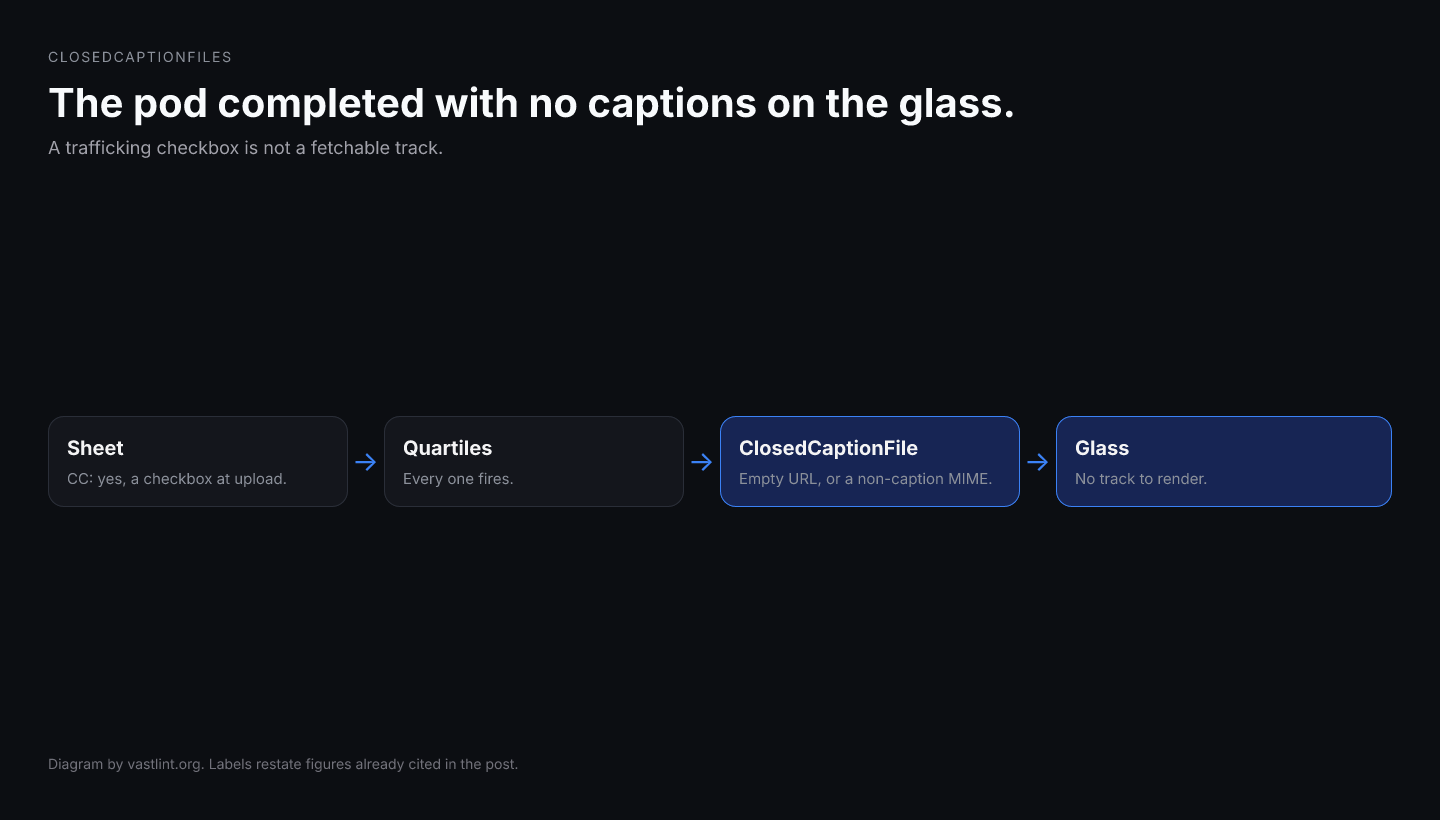
A CTV pod can complete every quartile, pass viewability, and still ship zero captions on the glass. The trafficking sheet says CC: yes because someone checked a box when the creative uploaded. The buyer's accessibility review assumes WebVTT or TTML arrived with the MediaFile. The seller's player logs a completed view. None of those dashboards inspect whether ClosedCaptionFile CDATA resolves to a fetchable track.
The production bug is rarely a player that refuses captions on principle. It is a ClosedCaptionFiles subtree that exists in XML but cannot render: an empty URI inside ClosedCaptionFile, a type attribute that names video/mp4 instead of text/vtt, language missing on a multilingual pod, or ClosedCaptionFiles copied on the trafficking export but stripped by SSAI before the living-room device parses the InLine.
IAB Tech Lab added ClosedCaptionFiles under MediaFiles in VAST 4.1 as an accessibility container for sidecar caption tracks. VAST 4.2 tightened MediaFiles child rules and VAST 4.4 extends the same container to NonLinear MediaFiles. This piece is the envelope check: where captions live, which attributes must be present before a CTV SDK fetches a track, and what validation can catch while linear video still plays normally.
Why hollow captions are a compliance and reach problem
Regulated and brand-led CTV buys increasingly treat captions as part of the creative contract, not a post-production nice-to-have. When the track never loads, the campaign can be out of policy with the publisher or the advertiser's accessibility checklist even though delivery metrics look fine. Support tickets arrive after manual review on one device model shows no CC button or no visible text during dialogue.
That delay is expensive because nobody reconciles caption presence in the same pipeline as quartile completion. DSP dashboards count impressions. Publisher ad servers count starts and completes. SSAI logs transcode success on the mezzanine or the highest MediaFile rung. None of those signals prove ClosedCaptionFile returned 200 with a caption MIME type.
Open auction metadata makes the gap worse. Sellers expose accessibility or language flags in deal notes, ad server UI, or downstream OpenRTB extensions while the VAST the player resolves carries ClosedCaptionFiles with placeholder URLs copied from a template. The bid looked captioned. The rendered pod did not.
Wrapper chains and stitchers compound silent loss. Captions can sit under MediaFiles inside an InLine three redirects deep. QA that validates hop one sees ClosedCaptionFiles and assumes compliance. The final InLine the player resolves under timeout may have dropped the entire container when an intermediary flattened the document for latency.
What ClosedCaptionFiles actually carries
ClosedCaptionFiles is a sibling of MediaFile, Mezzanine, and InteractiveCreativeFile inside Linear MediaFiles (and, in VAST 4.4 portfolio work, under NonLinear MediaFiles as well). The XSD allows one or more ClosedCaptionFile children. Each ClosedCaptionFile is a URI element: CDATA holds the HTTPS URL to the sidecar track, not embedded caption text.
The type attribute identifies the MIME type of the caption file. Production examples use text/vtt for WebVTT, application/ttml+xml for TTML, or other text-based caption formats the player supports. Treating type as optional in generators is a mistake on 4.4 schema work where type is required on ClosedCaptionFile: players use type to decide whether to attempt a fetch before showing the CC affordance.
The language attribute uses ISO 639-1 codes with an optional locale suffix per VAST 4.2 XSD documentation. Omitting language on a single-track ad is survivable on some SDKs. Omitting it on multi-language pods means the player cannot match the viewer's UI language to the correct ClosedCaptionFile when several siblings are present.
Nothing in ClosedCaptionFiles executes at ad-server response time beyond XML parsing. The player selects a MediaFile, begins decode, and optionally fetches one or more ClosedCaptionFile URIs to mux text into the render pipeline or expose a system caption track. If the URI is empty or the MIME type does not match bytes on the wire, most stacks skip captions silently and continue linear playback.
Where to validate: wrapper depth and post-SSAI output
Operational QA should mirror how the player resolves the chain. Paste or fetch the entry URL, follow VASTAdTagURI redirects until you hold the InLine the device will parse, and validate ClosedCaptionFiles on that merged view. A green first hop plus missing captions on the final InLine is the same category error as validating Duration only on hop one.
For SSAI, validate the document the device receives after stitching, not only the pre-stitch asset in the creative library. Stitchers that rebuild InLine from MediaFiles alone often omit ClosedCaptionFiles even when the upstream chain included them. The living-room player never sees the caption contract the trafficker exported.
Version declarations matter. ClosedCaptionFiles under MediaFiles requires VAST 4.1 or later. Feeds that declare 2.0 or 3.0 while injecting ClosedCaptionFiles rely on lenient parsers. Strict CTV SDKs ignore unknown 4.x children on older version strings, which looks like captioned trafficking with no CC at playback.
Bid-side reviewers who only read OpenRTB video fields never see ClosedCaptionFiles at all. Caption assurance belongs on the VAST hop after the win, the same place you validate MediaFile HTTPS and tracking consistency.
What caption validation can catch before playback
- ClosedCaptionFiles containing anything other than ClosedCaptionFile elements.
- ClosedCaptionFile with empty CDATA URL (VAST-2.0-url-empty class findings on URI fields).
- Missing or incorrect type when the declared VAST version requires MIME on ClosedCaptionFile.
- HTTP caption asset URLs on HTTPS-only CTV inventory.
- language absent when multiple ClosedCaptionFile siblings target different locales.
- ClosedCaptionFiles present on the trafficking export but absent on the unwrapped live InLine or post-SSAI output.
- type naming a video MIME while CDATA points at a sidecar caption path (player may never invoke the caption loader).
MIME type and empty URL failures in practice
Trafficking tools sometimes copy the MediaFile type attribute into ClosedCaptionFile because both live under MediaFiles. A ClosedCaptionFile typed video/mp4 with a .vtt URL is internally inconsistent: the player may classify the track as video and refuse to parse cues.
Empty CDATA is worse because schema validators and lenient parsers disagree. Some SDKs treat empty ClosedCaptionFile as absent. Others allocate a caption slot, attempt fetch against an empty string, fail without surfacing an error code, and leave the CC toggle visible but inert.
Sidecar captions are not burned-in video. If the only caption artifact is a soft subtitle inside the mezzanine MP4 and ClosedCaptionFiles is empty, accessibility reviewers watching the exported MP4 in desktop tools see text while CTV players that expect sidecar WebVTT see nothing. Validation separates sidecar contract from baked-in pixels.
<MediaFiles> <ClosedCaptionFiles> <ClosedCaptionFile type="text/vtt" language="en"> <![CDATA[https://cdn.example.com/spot-en.vtt]]> </ClosedCaptionFile> <ClosedCaptionFile type="text/vtt" language="es"> <![CDATA[https://cdn.example.com/spot-es.vtt]]> </ClosedCaptionFile> </ClosedCaptionFiles> <MediaFile delivery="progressive" type="video/mp4" width="1920" height="1080"> <![CDATA[https://cdn.example.com/spot.mp4]]> </MediaFile></MediaFiles>Get VAST spec updates, platform guides, and release notes in your inbox.
What a player does with that caption envelope
After Linear resolves, the player reads MediaFiles, chooses a MediaFile rung, and inspects ClosedCaptionFiles before or during startup depending on the SDK. For each ClosedCaptionFile it records type and language, fetches the CDATA URL, and attaches the parsed cues to the render surface or exposes them through the system caption API.
If both language siblings return 200 with valid WebVTT, the viewer can switch EN and ES where the app supports multi-track selection. The video decode path is unchanged: captions ride alongside MediaFile bytes rather than replacing them.
If every field in the passing example is present, captions still might not appear on a given CTV device because the SDK ignores ClosedCaptionFiles on that firmware build or because the app hides CC when the stream declares embedded captions elsewhere. Envelope validation proves the tag handed the player a complete sidecar contract in the shape VAST expects; it does not prove pixel-perfect rendering on every panel.
<ClosedCaptionFiles> <ClosedCaptionFile type="video/mp4" language="en"> <![CDATA[]]> </ClosedCaptionFile> <ClosedCaptionFile language="en"> <![CDATA[http://cdn.example.com/captions.vtt]]> </ClosedCaptionFile> <Tracking event="start"> <![CDATA[https://track.example.com/start]]> </Tracking></ClosedCaptionFiles>Why that block still looks compliant in a spreadsheet
Trafficking exports often reduce captions to a yes/no column: ClosedCaptionFiles present. The first ClosedCaptionFile declares language en and type video/mp4, so the row looks populated while the MIME type tells the player not to treat the resource as a text track. The CDATA is empty, so there is nothing to fetch even if type were corrected.
The second ClosedCaptionFile points at a plausible .vtt path but uses HTTP and omits type on versions that require it. Mixed-content rules block many HTTPS CTV apps from fetching the track. The stray Tracking node under ClosedCaptionFiles is not a valid child; parsers that strict-reject the container drop the entire block, including any partially valid ClosedCaptionFile entries.
Fix order: non-empty HTTPS URIs, caption MIME types on type, language on each sibling, move creative tracking back under Linear TrackingEvents, and re-run validation on the unwrapped InLine the player will see.
A pre-launch closed-caption checklist
- Declared VAST version is 4.1+ and ClosedCaptionFiles sits under MediaFiles on the InLine the player resolves.
- Every ClosedCaptionFile has non-empty HTTPS CDATA and a caption MIME type in type.
- language is set when multiple ClosedCaptionFile siblings exist or when the buy specifies locale.
- The unwrapped live chain, including post-SSAI output, still contains the same ClosedCaptionFiles subtree as the trafficking export.
- curl -sI each caption URL returns 200 with a text-compatible Content-Type.
- ClosedCaptionFiles contains only ClosedCaptionFile children.
- Caption sidecar presence is not inferred from burned-in video inside MediaFile alone.
vastlint check tag.xml --format json vastlint check tag.xml --fail-on-warning vastlint check "https://ad.example.com/vast?cid=9001" --unwrapWhat caption validation cannot prove
A valid ClosedCaptionFiles envelope is necessary, not sufficient. XML checks do not download every WebVTT, verify cue timing against the mezzanine, or confirm the CTV SDK implements sidecar captions on that firmware. They will not catch a stitcher that removes ClosedCaptionFiles after you validated the upstream chain.
They also will not replace manual CC review on reference devices. Some players render captions only on web and ignore ClosedCaptionFiles on native CTV even when the XML passes. Session logs from those SDKs rarely mention captions; they simply never attach a text track.
If quartiles fire and accessibility still reports missing captions, compare the resolved InLine against the trafficking export. If the video never starts, fix MediaFiles first. If the video plays and ClosedCaptionFiles is absent or hollow on the live chain, this checklist is the one.
Validate closed captions in your VAST tag
Paste a tag or fetch a live URL. vastlint checks ClosedCaptionFiles shape, URI fields, and container rules on the unwrapped chain before launch.
Open the VAST validatorRelated docs on vastlint
VAST 4.1+ ClosedCaptionFiles under MediaFiles for sidecar caption tracks.
ClosedCaptionFiles may only contain ClosedCaptionFile elements.
Empty URI fields on ClosedCaptionFile CDATA fail silently at fetch time.
ClosedCaptionFiles introduction and example WebVTT sidecar.